
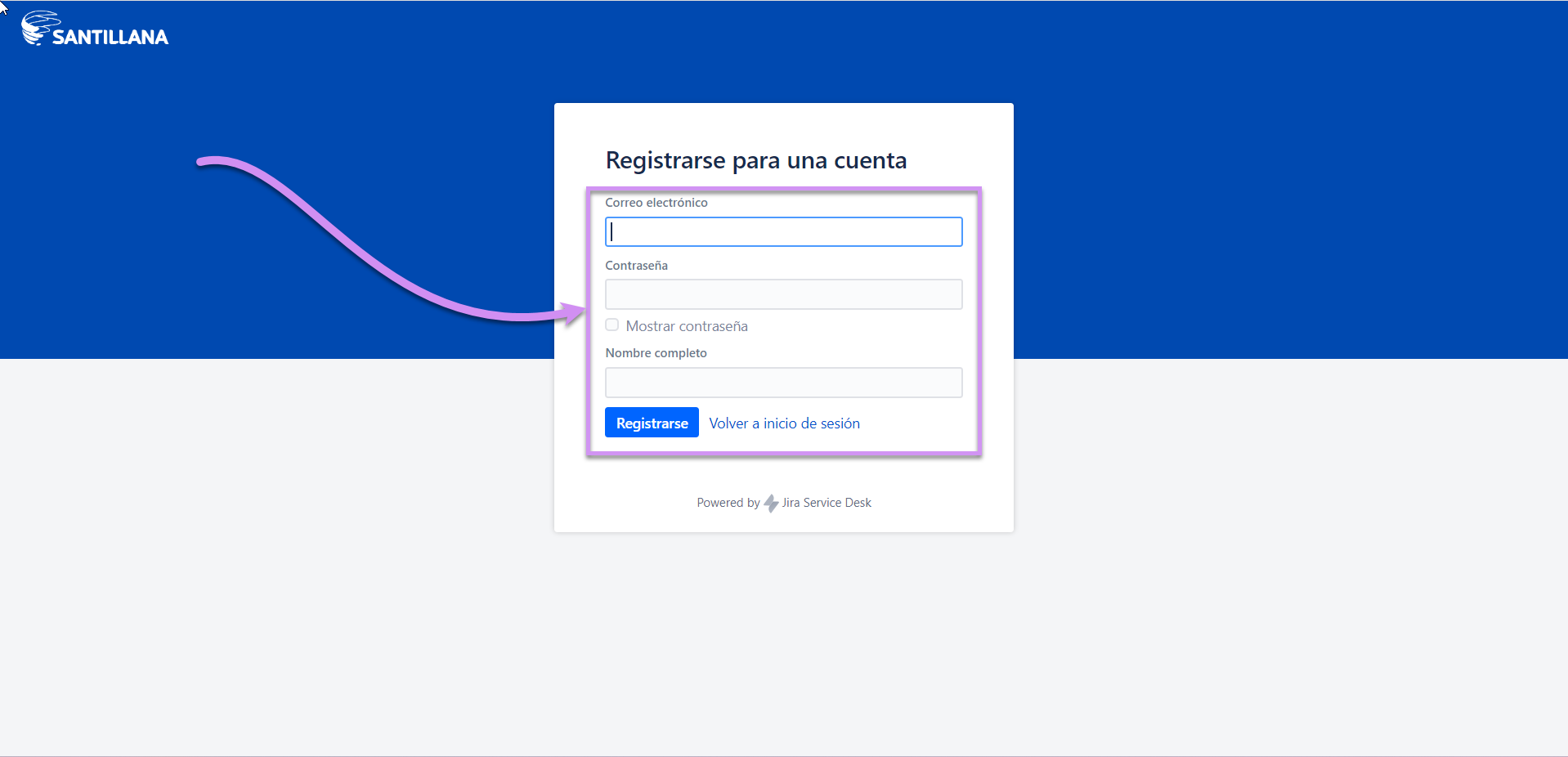
If you have never created a ticket in the Service Desk, you must first create your user on the platform. To create your user for the first time, click on the option: Registrarse para una cuenta as shown below::
First step:
OLD (need update):
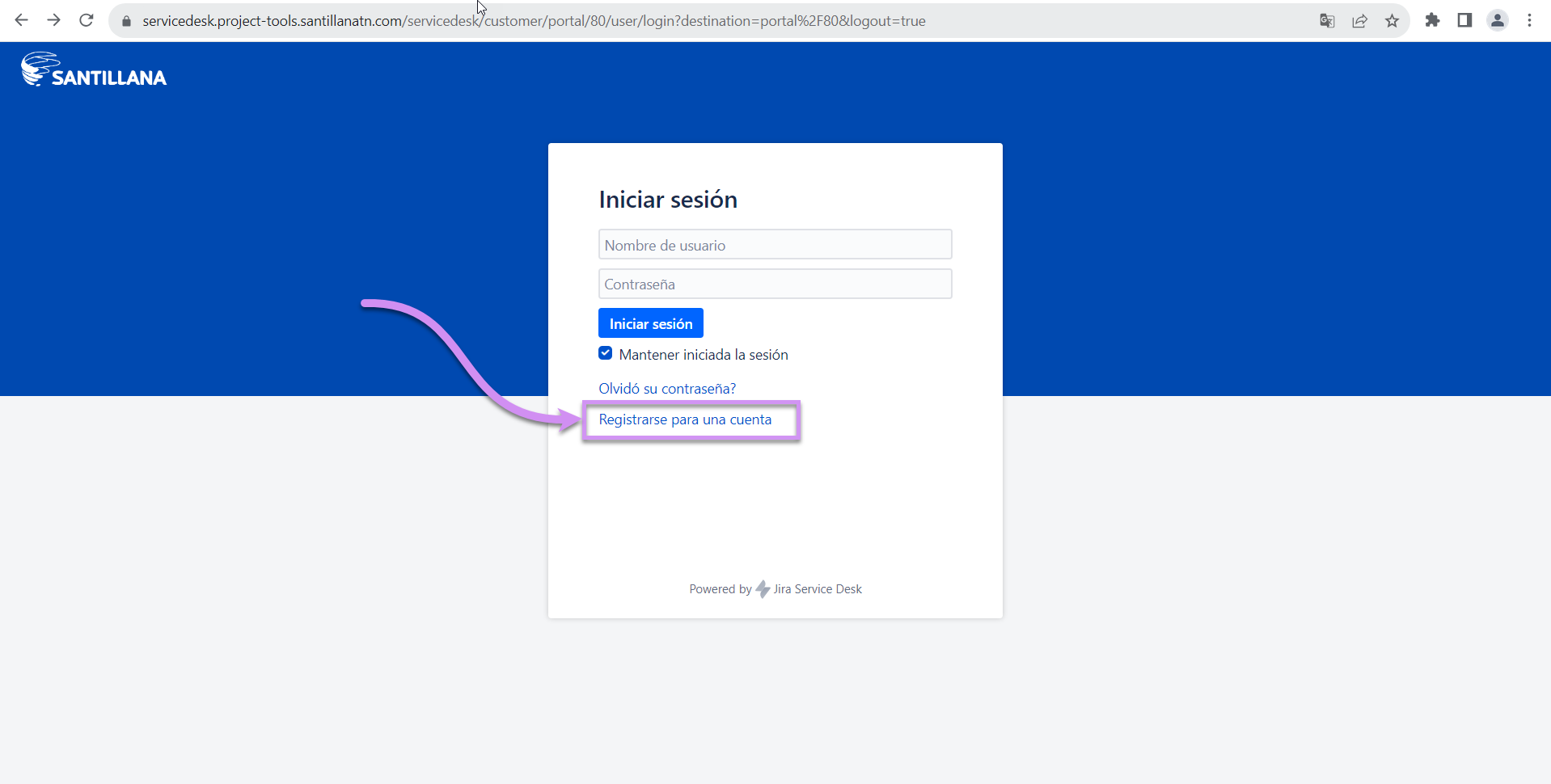
You must fill in your access data in the corresponding sections:
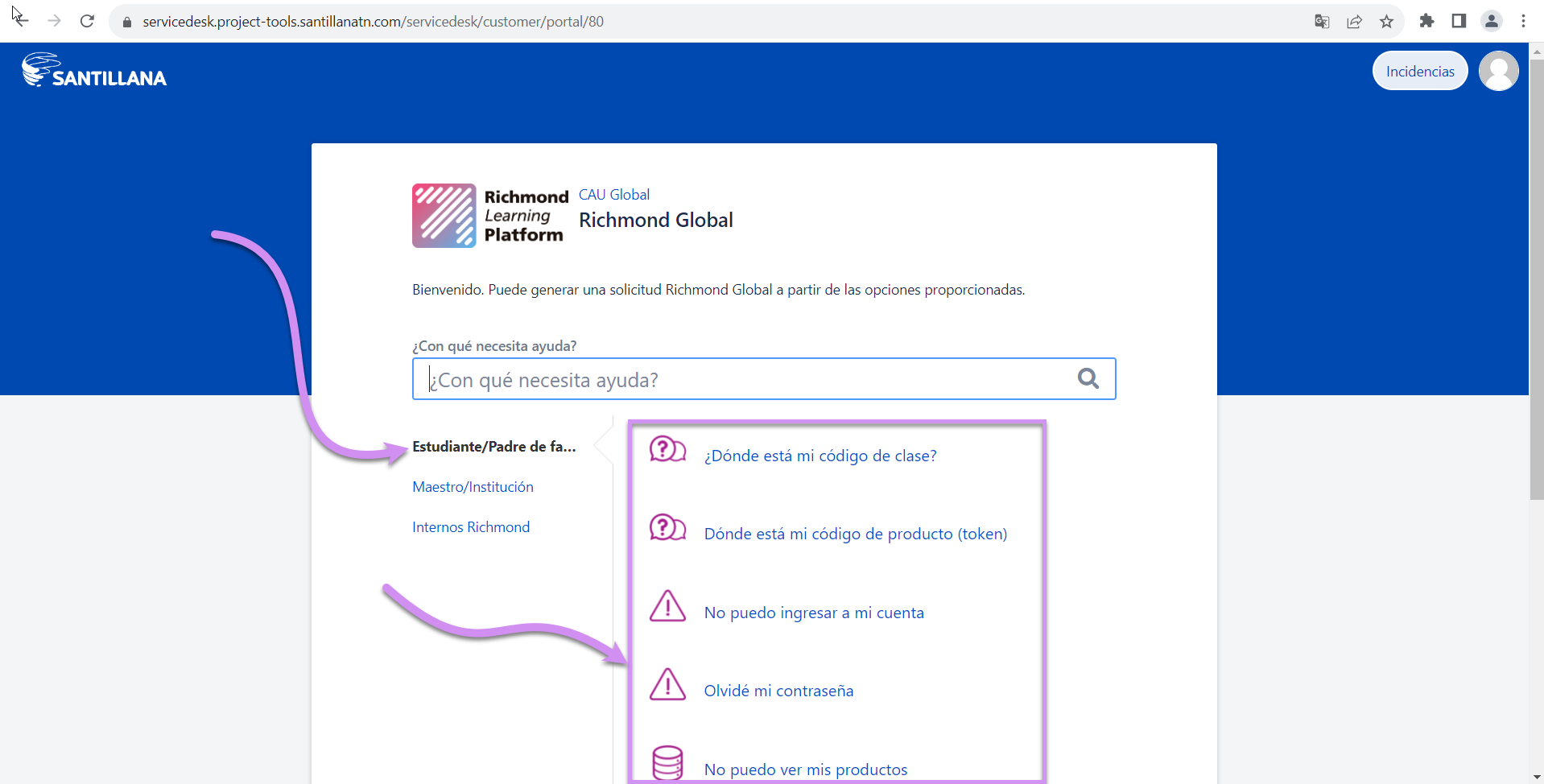
Once you do, you can use the appropriate questionnaire according to your type of user to request support:
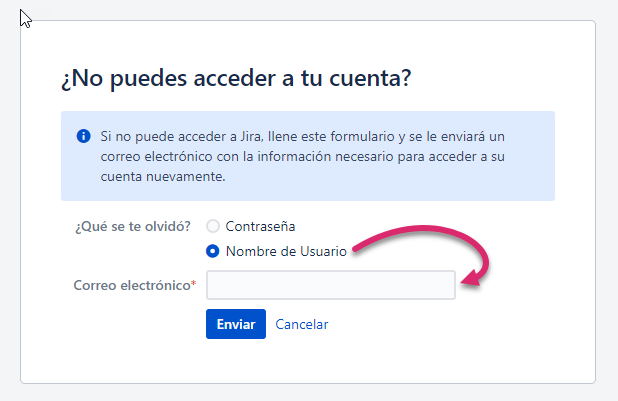
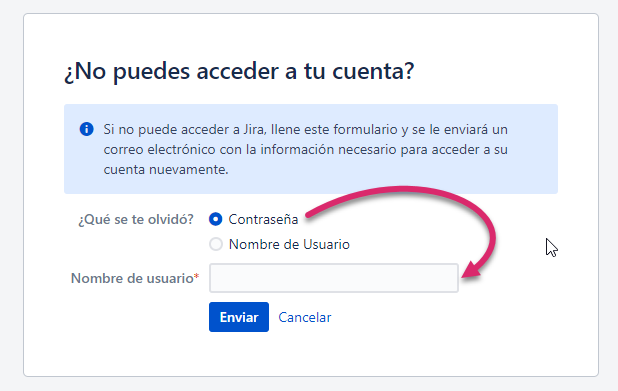
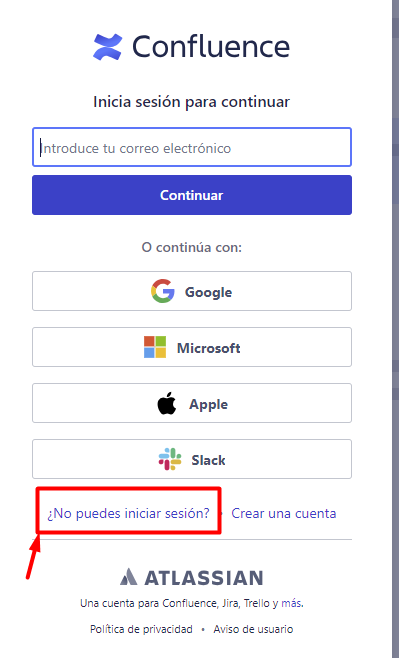
If you have already created a user account on the platform because you have previously submitted a ticket, click here. In case you don't remember your username or password, click on the link that appears on the screen:
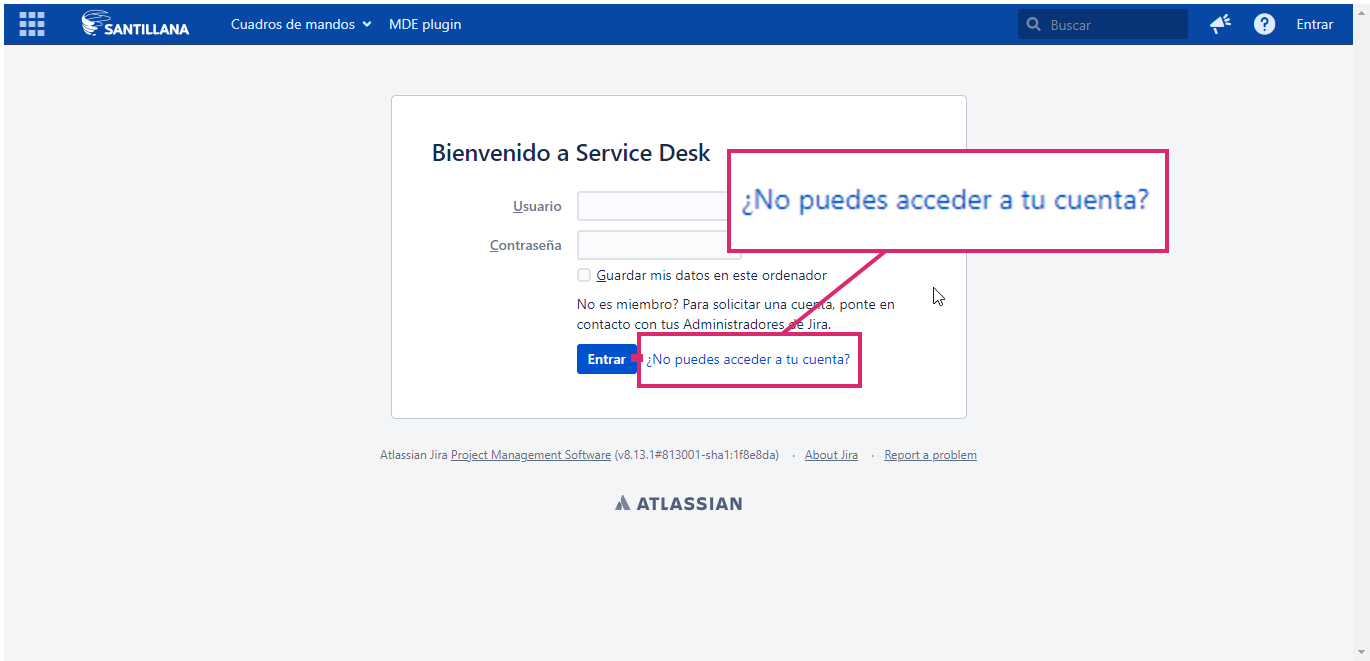
It will take you to the following screen, choose the piece of information that you do not remember and input what is requested so that you can receive an email with instructions on how to contact customer service: