

The Markbook section is where the Teachers can see the student's grades.
This section has 4 main sub sections:
-
Reports
-
Self-Study
-
Assignments Scores
-
Test Scores
Let's review the last 3: self-study, assignments and tests.
The student's assignments can be done in 3 different ways: as an independient student (self-study), as a homework assigned by the teachers (assignments) or as part of a test (tests).
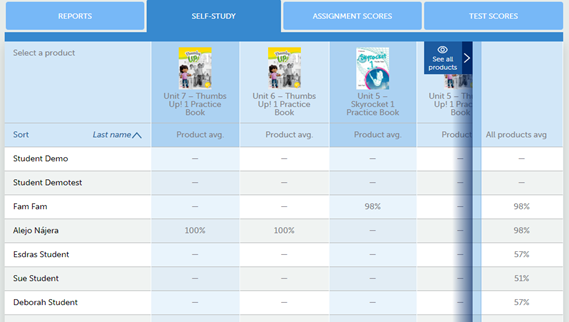
In “Self-Study”, Teachers can see the grades and the test scores the average score that students have obtained in each of the activated products. This is the average mark of the exercises carried out as "Self-Study", that is, carried out on your own or individually.
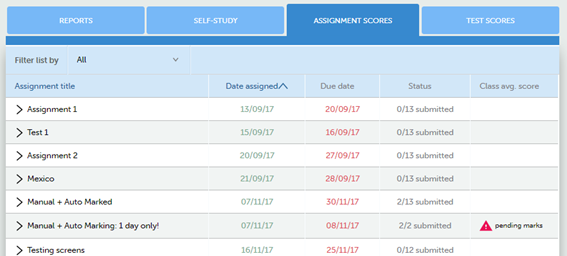
In the link “Assignment scores”, teachers can review the status of tasks performed throughout the course. Specifically, they will be able to see:
-
Title
-
Date of assignment and expiration date.
-
Status: how many students have completed the assignment.
-
Average score. In case there are activities that require manual correction, a symbol with "pending marks" will show.