


Once you created the assignment, you can edit it or delete it. There are two buttons at the end column in the row “Assignments” to do it.
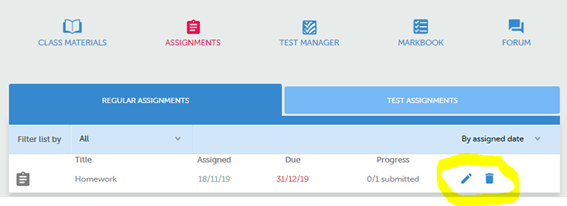
You can edit an assignment when there are no students working on it. If there is a student with the assignment open, even if he just finished an activity and submits the response, it will not be possible to edit the assignment.
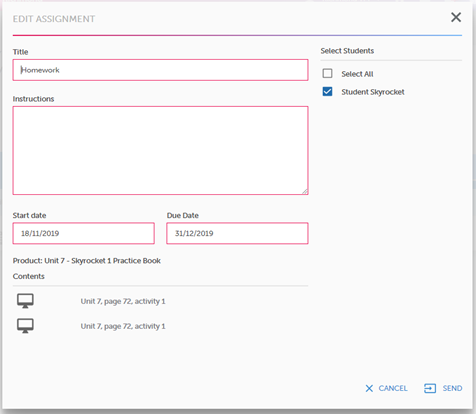
NOTE: Please note that the activities selected for the task cannot be edited. To modify the activities in an Assignment, you must delete it and create it again.