

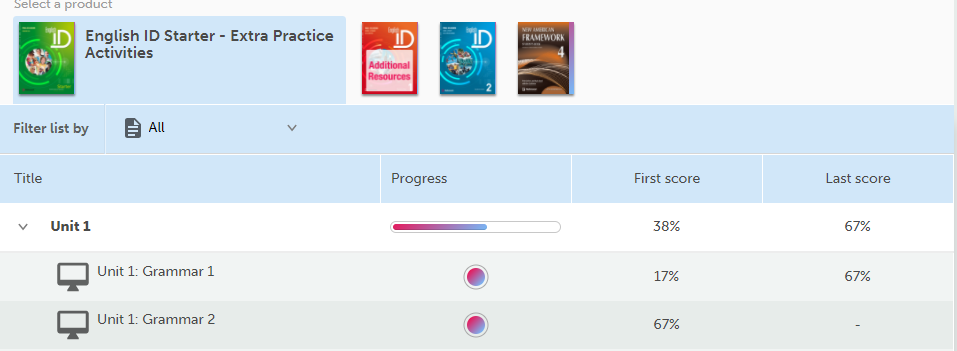
When you start an activity from the Product page, you will see a page similar to the following:
To use the activity page:
-
First, select the product at the top.
-
Select an activity from the list.
-
Try to complete the activity.
-
Click on SUBMIT to review your answers and record your grade on your grade log.
-
The symbols that will appear next to your answers will show if your answer is correct or incorrect.
-
The symbols that appear next to your answers will show if you want to try the activity again, select Try again.
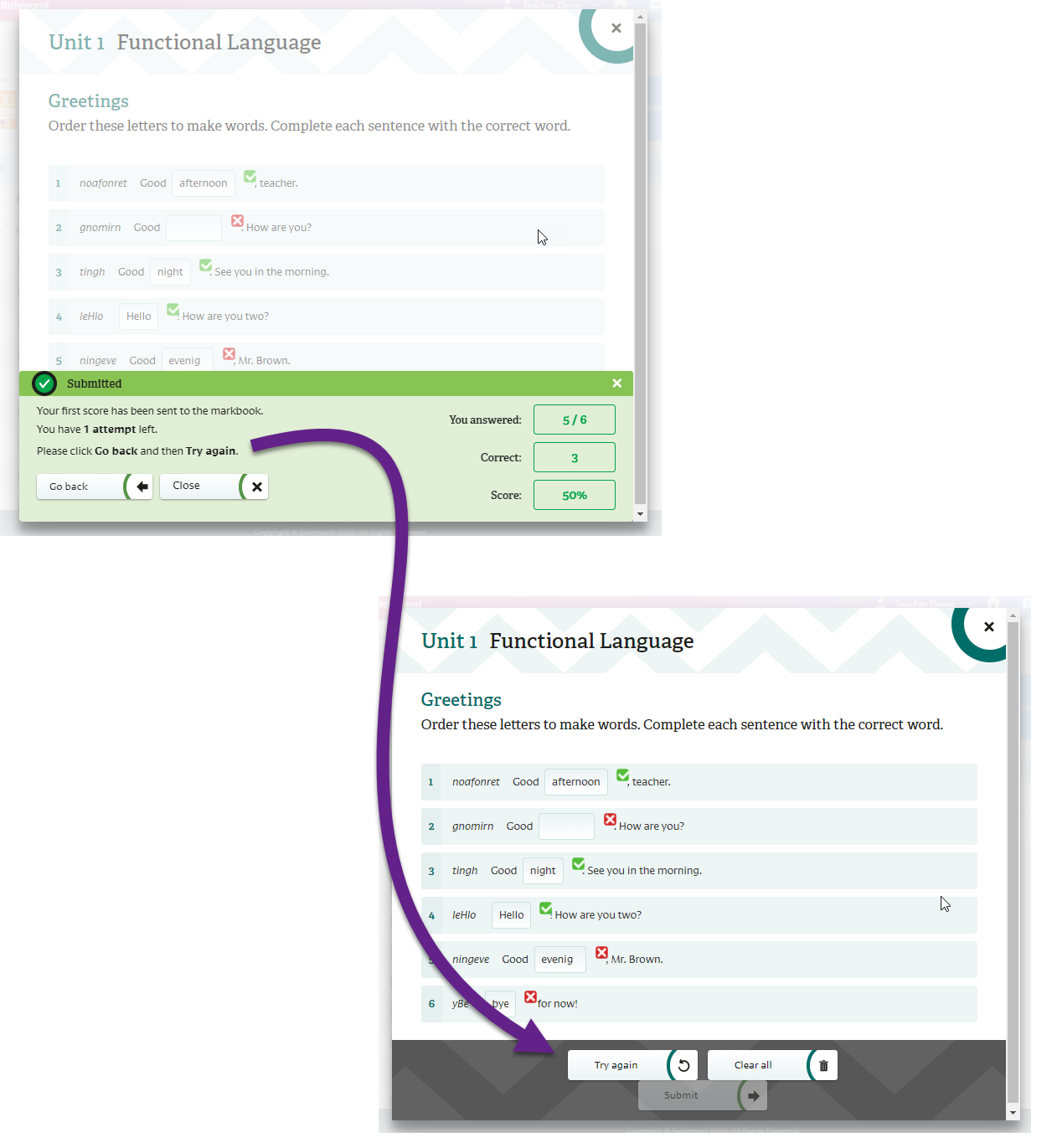
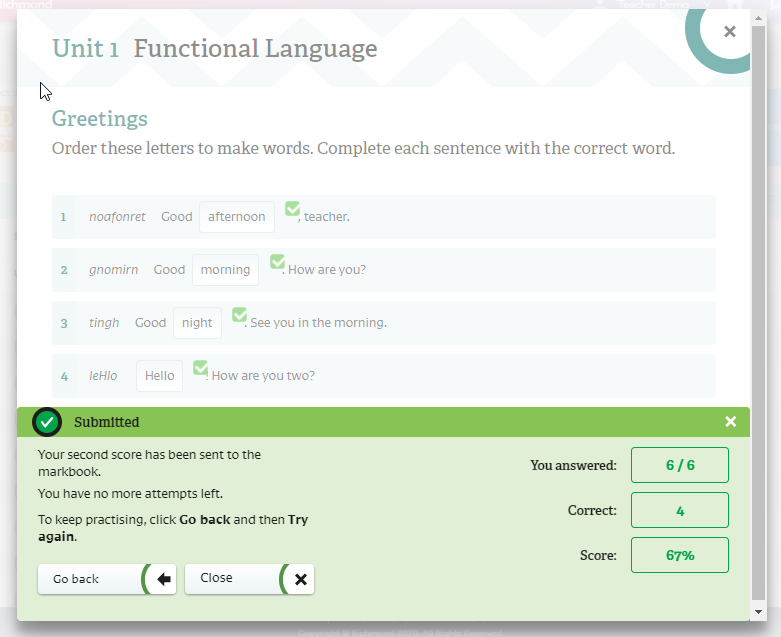
You can do most of your activities more than once. However, most of them have a maximum number of attempts. This means that you will be able to perform an activity only a certain number of times before your final score is recorded in the grade record. Once you have reached the maximum number of attempts, you can select Show answers to see the correct answers for the activity.
School screen
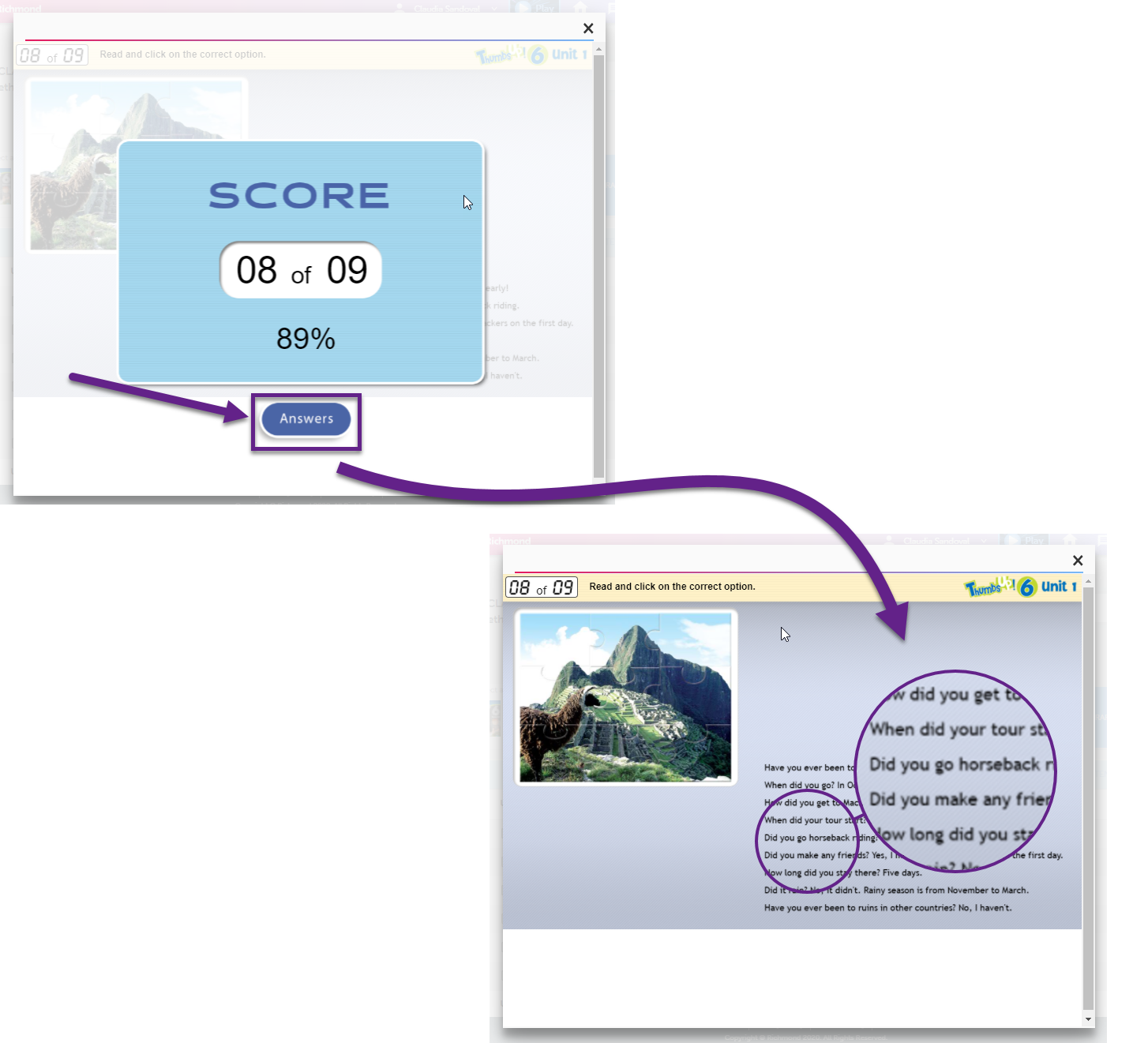
Young Adults screen
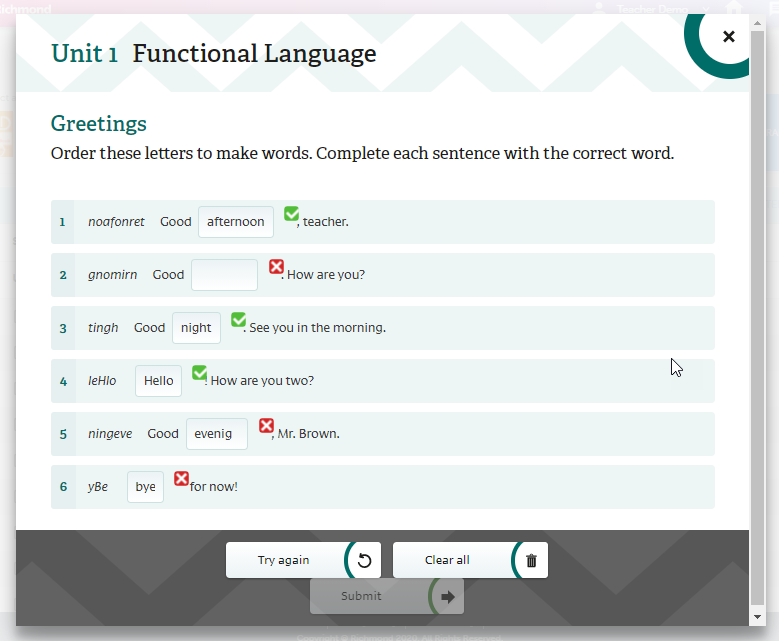
The symbol with the red triangle shows where you answered incorrectly. You can hover your cursor over the symbol to see what your answer was. A symbol circled in red will show if you did not complete your answer.
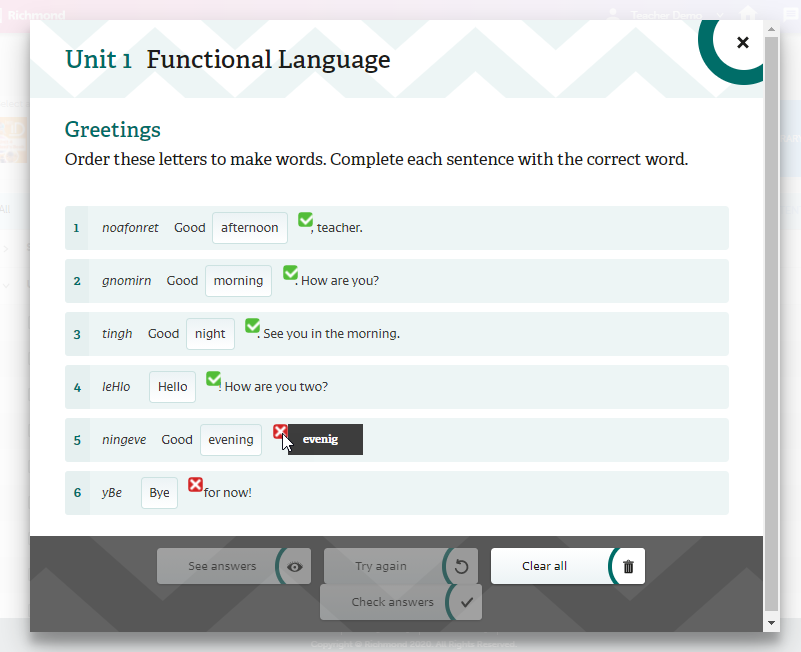
You can keep trying to complete the activity again and check your answers. However, no new grades will be recorded on the grade log for this activity. Remember that if you are studying this Richmond course at an institution, college, or university, your teacher will also be able to see the grades on your grade record.
Attachments
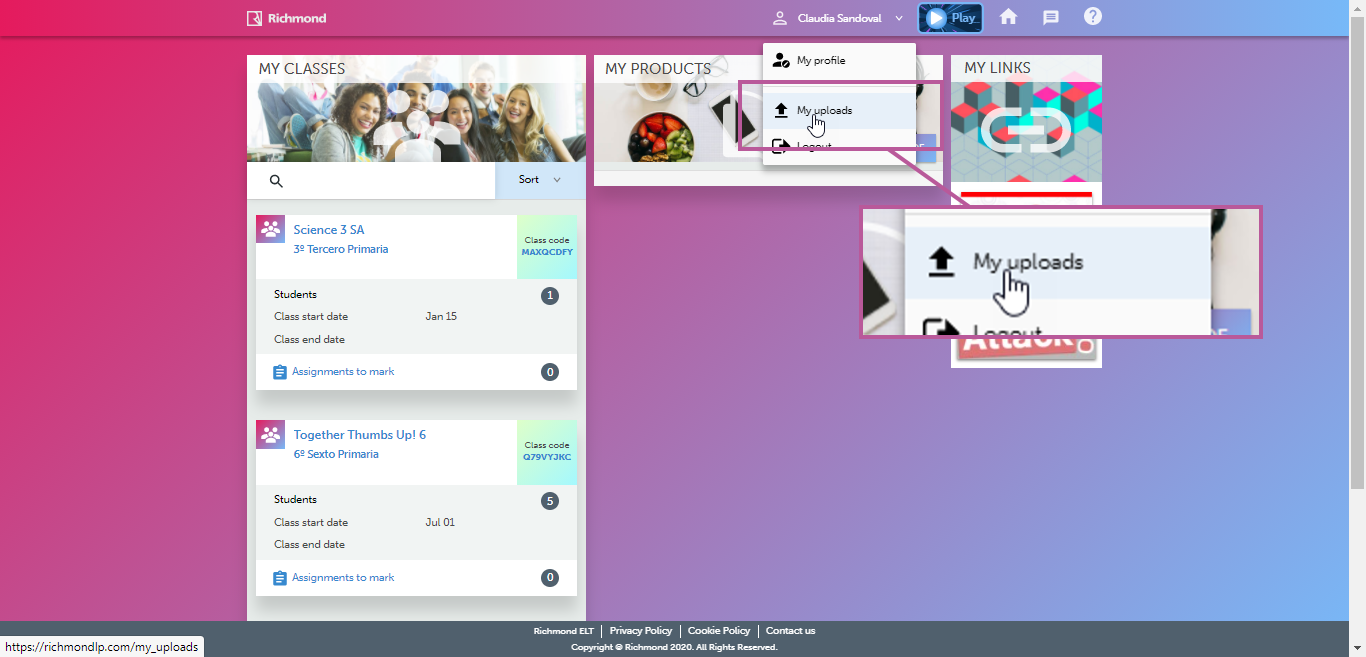
Some activities have files that contain information that can help you complete your activity. Use the button in the upper right corner to view the attachments. This action is done through the My Uploads section, if the My Uploads files are associated (or attached) to an assignment, it is not possible to delete them even when the assignment has already expired
Notepad exercises
Some activities are Notepad exercises. These activities are for your personal responses and ideas. There are no correct or incorrect answers, so they will not be evaluated. No grades will appear on your grade log for Notepad activities.