

When the Teacher sends a message or there are updates on the Richmond Learning Platform, these will be displayed in the Message Center. This message center is only for receiving communications. At no time can you answer or contact the Teacher or the Training Manager through it.
Access to the Message Center is at the top of the screen. When the bell icon is displayed, it means that you have new messages to be read.

Click on the bell to open the Message Center.
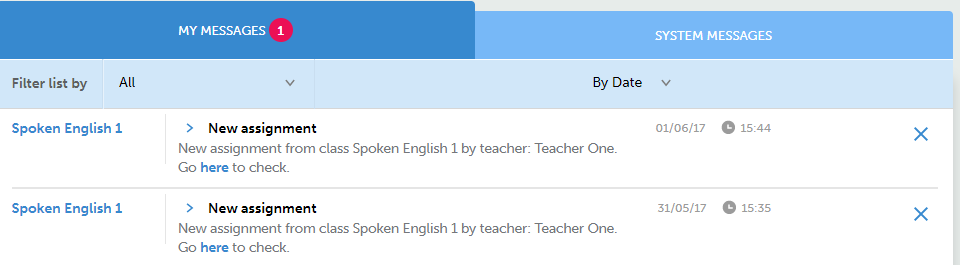
The Message Center area includes:
-
My Messages - the messages sent by the Teacher or the Training Manager, as well as the assignments assigned by the Teacher. Select the assignment to go to your class assignment area.
-
System Messages – It's the Richmond news, like system updates or shutdowns.
These messages can also be received in personal mail. To do this, activate the relevant options in your Personal details.
Read this post for more information about the assignments.